Bar Chart Reveal
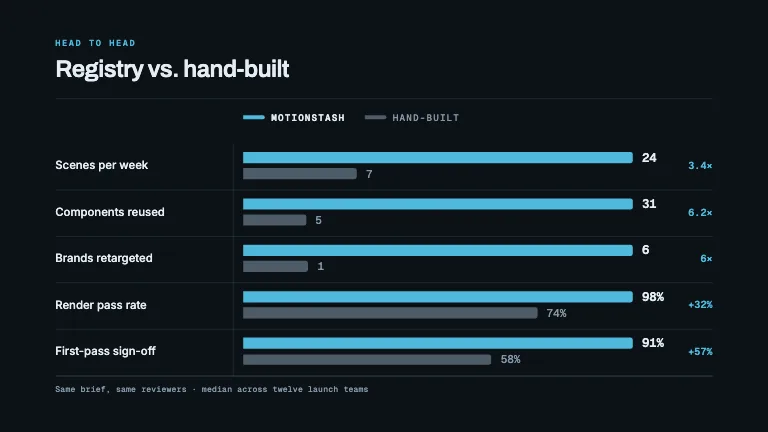
DataGridlines draw on as hairlines, bars climb from the baseline in reading order, and each value counts up as its bar lands
This is the format it was composed for. Switch above to see it lay itself out for another: same animation, re-arranged for the frame.
What you can change · 13 settings
Everything below can be changed without touching the animation. Hand the list to an agent, or edit the values at the bottom of the component file.
- Data *data · array
The series, in reading order, the reveal staggers left to right, so order the array the way you want the chart read. Five to eight bars is the sweet spot; twelve is the ceiling before the columns thin out.
now: 7 items
- Titletitle · string
Headline above the plot, set in the display face. Say what is measured, not what the shape does ('Scenes rendered per month', not 'Growth'). One line reads best.
now: Scenes rendered per month
- Eyebroweyebrow · string
Small uppercase mono label in the accent colour above the title. Omit for a barer chart.
now: Throughput
- Highlighthighlight · number
Zero-based index of the one bar carried in the accent colour; every other bar is muted. Omit to highlight the largest value automatically. This is the argument of the chart, so pick the bar the scene is about.
now: 6
- Value prefixvaluePrefix · string
Set immediately before every figure, on the bars and the axis alike, a currency mark such as '$' or '€'.
- Value suffixvalueSuffix · string
Set immediately after every figure: '%', 'k', 'ms'. Rendered exactly as typed, so include a leading thin space yourself if the unit needs air.
- Compactcompact · boolean
Abbreviate thousands and millions ('1.2k', '3.4M') instead of grouping digits with thin spaces. Turn it on once the figures pass four digits.
now: false
- Ticksticks · number
Number of gridlines above the baseline. It also sets the y domain: the top line is always a round number, so 4 over a peak of 137 gives 0/40/80/120/160.
now: 4
- Y axisyAxis · boolean
Show the y-axis tick figures at the left, in mono with tabular figures. Off gives a barer chart that leans on the value labels.
now: true
- Value labelsvalueLabels · boolean
Count each bar's value up above its column as the bar lands. Off when the axis alone should carry the numbers.
now: true
- Bar widthbarWidth · number
Bar thickness as a fraction of its column slot. 0.62 is the editorial default; above 0.8 the chart reads as a block, below 0.4 as a set of ticks.
now: 0.62
- Footnotefootnote · string
Quiet mono caption under a hairline at the foot of the frame: the source, the period, the qualifier. One short sentence.
now: Every scene composed from registry components · September…
- Brandbrand · string
Brand token id, one of the keys of BRANDS.
now: slate
For developers · source, dependencies and provenance
Dependencies
No Tailwind, no CSS, no asset files. Inline styles only.
Source
Provenance
Prompt
A bar chart that reveals in reading order: the baseline and gridlines draw themselves on as hairlines first, then the bars grow up out of the baseline with a stagger left to right, then the values count up above each bar and the category labels fade in underneath. One bar in the accent colour, the rest muted grey. Y-axis ticks in mono with tabular figures, and round the domain up to a sensible number above the data rather than using the raw maximum.