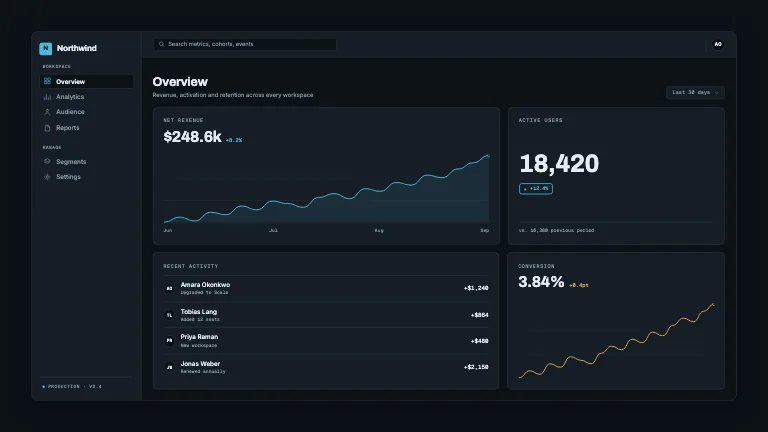
Zoom To Region
Product & UIA synthesised dashboard, then a keyframed camera push into one named region and back out, with an annotation ring on the detail
This is the format it was composed for. Switch above to see it lay itself out for another: same animation, re-arranged for the frame.
What you can change · 18 settings
Everything below can be changed without touching the animation. Hand the list to an agent, or edit the values at the bottom of the component file.
- Titletitle · string
Display heading of the synthesised dashboard, top left. Three to six words; it is read in the wide shot only, so it can afford to be a full sentence fragment.
now: Activation, week over week
- Metameta · string
Small mono line under the title. Use it for scope and range, the thing that tells a viewer what they are looking at before the camera moves.
now: Growth workspace · rolling 13 weeks
- Metric labelmetricLabel · string
Label of the big chart card. This one IS read at full zoom, so keep it two or three words and make it the name of the series.
now: Weekly activations
- Metric valuemetricValue · string
Headline figure on the chart card, set in the display face. Pre-format it (thousands separators, units, currency) the component never touches your number. The default reads the peak off a 4k axis, which is where the camera is going.
now: 3,520
- Metric deltametricDelta · string
Text of the accent-tinted chip beside the headline figure, led by an up caret. Empty string for no chip.
now: 22.2% w/w
- Focus labelfocusLabel · string
Mono label on the annotation that appears once the camera has parked. Two or three words: this is the caption on the thing you zoomed in to see.
now: Week 8 spike
- Focus valuefocusValue · string
Second line of the annotation, set larger, the fact the zoom exists to deliver, so make it something the wide shot could not say. The card sizes itself to whichever of the two lines is wider, and flips to the other side of the ring rather than run off the frame.
now: 2× the prior period
- Captioncaption · string
Muted footer line led by an accent dash, aligned to the dashboard's left edge. Empty string for none.
now: One layer, two keyframes — the camera is a transform, not…
- Target xtargetX · number
Left edge of the region the camera flies to, as a fraction of frame WIDTH. 0 is the left edge of the frame.
now: 0.2
- Target ytargetY · number
Top edge of the target region, as a fraction of frame HEIGHT. 0 is the top of the frame.
now: 0.24
- Target wtargetW · number
Width of the target region, as a fraction of frame width. Copy a rect out of the GEO object at the top of this file to frame a specific card: the chart is 0.045/0.192/0.555/0.398.
now: 0.4
- Target htargetH · number
Height of the target region, as a fraction of frame height. The tighter of width and height decides the scale, so the region is always fully inside the held frame and usually a little more.
now: 0.3
- Zoomzoom · number
Camera push, as a multiple of the scale at which the target region exactly fits the frame. 1 puts the region edge to edge on its tighter axis, 0.94 leaves a hair of margin, above 1 crops inside it. The scale is clamped at 1 from below, so the camera can never pull back past the wide shot.
now: 0.94
- Focus xfocusX · number
Centre of the annotation ring, in the same frame units as the target region. Put it on the thing you actually want circled, which is rarely the exact centre of the rect. The default sits on the chart's peak marker.
now: 0.419
- Focus yfocusY · number
Vertical centre of the annotation ring, as a fraction of frame height. The default sits on the chart's peak marker.
now: 0.325
- Reticlereticle · boolean
Bracket the target region with hairline corner marks and a mono scale readout before the push, and again on the way out. Turn it off for a straight cinematic move with no instrumentation.
now: true
- Seedseed · string
Seeds the ragged heights of the micro histograms in the tile row along the bottom. Change it for a differently-shaped dashboard of identical duration; the same seed always renders the same frames.
now: region-01
- Brandbrand · string
Brand token id, one of the keys of BRANDS.
now: slate
For developers · source, dependencies and provenance
Dependencies
No Tailwind, no CSS, no asset files. Inline styles only.
Source
Provenance
Prompt
Draw a wide fake analytics dashboard, header, a big chart card, a KPI stack, a row of tiles, then treat the whole thing as one layer and fly a camera into it: scale and translate so a named rect fills the frame, hold there while a ring draws onto the detail and a small label names it, then pull back out. Let me pass the target rect as x/y/w/h in frame units plus a zoom amount. Mark the region with hairline brackets before the push. Start and end at rest.