Shorts Subscribe Card
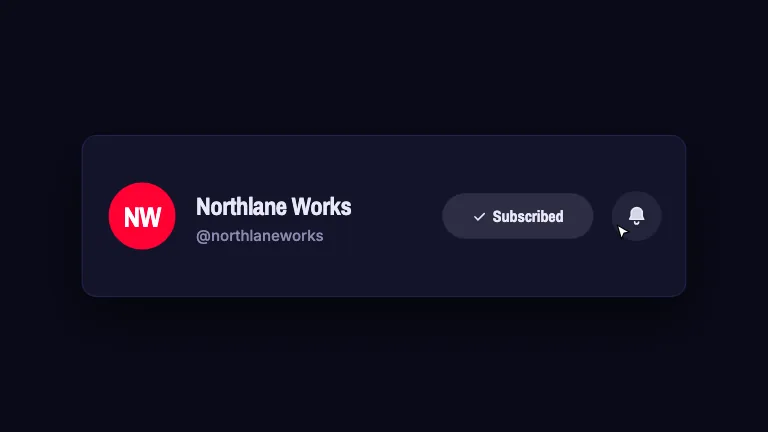
YouTubeA vertical subscribe CTA laid out inside the Shorts safe pocket, with a button that floods and a bell that rings twice
This is the format it was composed for. Switch above to see it lay itself out for another: same animation, re-arranged for the frame.
What you can change · 11 settings
Everything below can be changed without touching the animation. Hand the list to an agent, or edit the values at the bottom of the component file.
- Channelchannel · string
The channel name, set large on the card. One or two words. It has to fit on one line beside the monogram.
now: Halfstep
- Handlehandle · string
The @handle, printed small under the name. Include the @; it is what makes the line read as a channel rather than a caption.
now: @halfstep
- Subscriberssubscribers · string
Second half of the small line under the name, after a middot. Write it however you say it out loud. Leave empty to show only the handle.
now: 48.2K subscribers
- Initialsinitials · string
One or two letters drawn in the monogram tile. Empty falls back to the channel's first letter. This registry ships no image files, so the avatar is drawn, not loaded.
now: HS
- Headlineheadline · string
The ask, set at the top of the frame where the viewer's eye starts. Say why they should subscribe, not that they should. Leave empty for a card with no copy above it.
now: Part two drops Friday. Subscribe so it finds you.
- Button labelbuttonLabel · string
The word inside the button that fills. One word; it is a control, not a sentence.
now: Subscribe
- Bellbell · boolean
Draw the bell well beside the button and ring it after the fill. Turn it off for a quieter card that only fills.
now: true
- Guidesguides · boolean
Draw the Shorts safe-area chart, the dimmed action rail, the dimmed title strip, and the marks that show where they start. Keep it on while you position the card; turn it off for the take you burn over your footage.
now: true
- Rail percentrailPercent · number
How much of the right edge the like/comment/share rail eats, as a percentage of frame width. The card is laid out clear of it, so raising this narrows the card.
now: 15
- Strip percentstripPercent · number
How much of the bottom edge the title and channel strip eats, as a percentage of frame height. The card sits just above this line.
now: 22
- Brandbrand · string
Brand token id, one of the keys of BRANDS. The button fills with that brand's accent, so this is the colour the whole shot turns.
now: signal
For developers · source, dependencies and provenance
Dependencies
No Tailwind, no CSS, no asset files. Inline styles only.
Source
Provenance
Prompt
Every subscribe graphic in this library is 16:9 and I shoot Shorts. I need a vertical one that is actually laid out for the format: clear of the like/comment/share rail on the right and clear of the title and channel strip at the bottom, with the reserved zones dimmed and marked so I can see I am inside them. Channel monogram, name and handle on a card near the bottom, one line of copy up top where the eye starts, the middle left open for my face. The subscribe button should fill with colour left to right rather than just changing state, and the bell next to it should ring, a small rotation, twice, damped. Draw the bell and the monogram yourself, no logos.